
Installation
WARNING
This page only covers how to add to the project, not making your mod depend on EBWR. You need to add the 'dependency level' for yourself depending on your mod loader(s)
Prerequisites
- A mod dev environment already set and ready to work with.
- Basic knowledge of how to add dependencies/other mods code in your project. Some examples: Fabric Guide and Forge Guide
- Well understanding of how Gradle works with Minecraft Development, specially talking about understanding your mod's Gradle structure (what's
gradle.properties,build.gradleandsettings.gradle?)
Select Version
You just need to go to the Modrinth Versions of the mod and check the available versions, select the most recent one for your Minecraft Version.
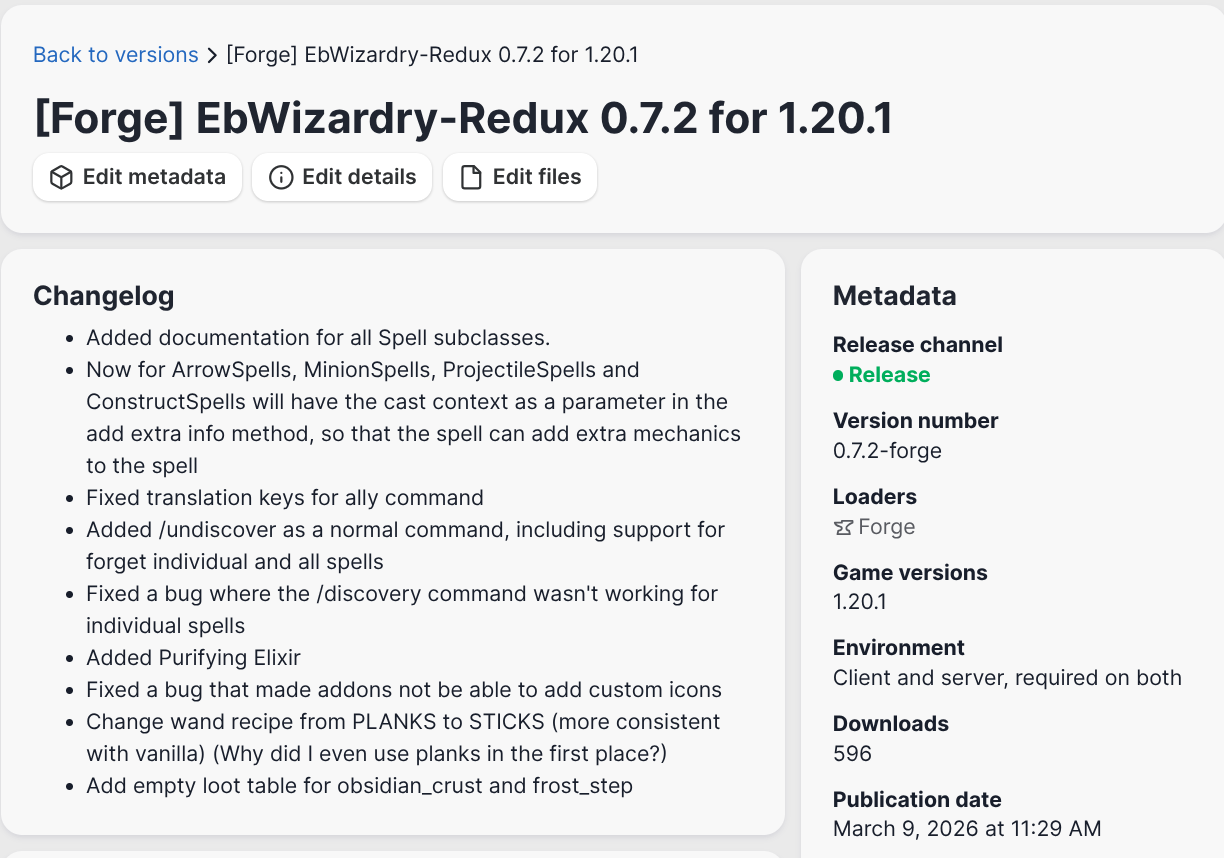
In this case for ebwr_version you should put 0.7.2 in your gradle.properties
Add Modrinth Maven Repository
You use repositories to obtain code from libraries (like Minecraft code!) to use in your Java projects. In EBWR, we use Modrinth Maven to simplify the upload/update process for devs and users.
You can also load the mod in your project with CurseMaven (not really well-supported)
Simple repository declaration
repositories {
    maven {
        url = "https://api.modrinth.com/maven"
    }
}
Advanced repository declaration
// Note: this is NOT the `repositories` block in `pluginManagement`! This is its own block.
repositories {
    exclusiveContent {
        forRepository {
            maven {
                name = "Modrinth"
                url = "https://api.modrinth.com/maven"
            }
        }
        forRepositories(fg.repository) // Only add this if you're using ForgeGradle, otherwise remove this line
        filter {
            includeGroup "maven.modrinth"
        }
    }
}
For more info about how to use Modrinth Maven check here
Add Mod Dependency
Now here's where you actually add the mod to your project, with the direction provided by the repository this shouldn't be any problem.
Common
We don't have a specific part for Common code, so you must add the fabric part on runtime, avoiding touching any of Fabric specific code in your common part (In EBWR all fabric classes include 'Fabric', so you won't have problem recognizing them).
Common:
dependencies {
    compileOnly "maven.modrinth:electroblobs-wizardry-redux:${ebwr_version}-fabric"
}
Fabric (with Loom)
dependencies {
    // Adding and remapping a mod only in local runtime
    modImplementation "maven.modrinth:electroblobs-wizardry-redux:${ebwr_version}-fabric"
}
Forge (with ForgeGradle)
dependencies {
    implementation fg.deobf("maven.modrinth:electroblobs-wizardry-redux:${ebwr_version}-forge")
}
With this you should be able to load the mod in your workspace, allowing you to interact and add parts in EBWR structure.